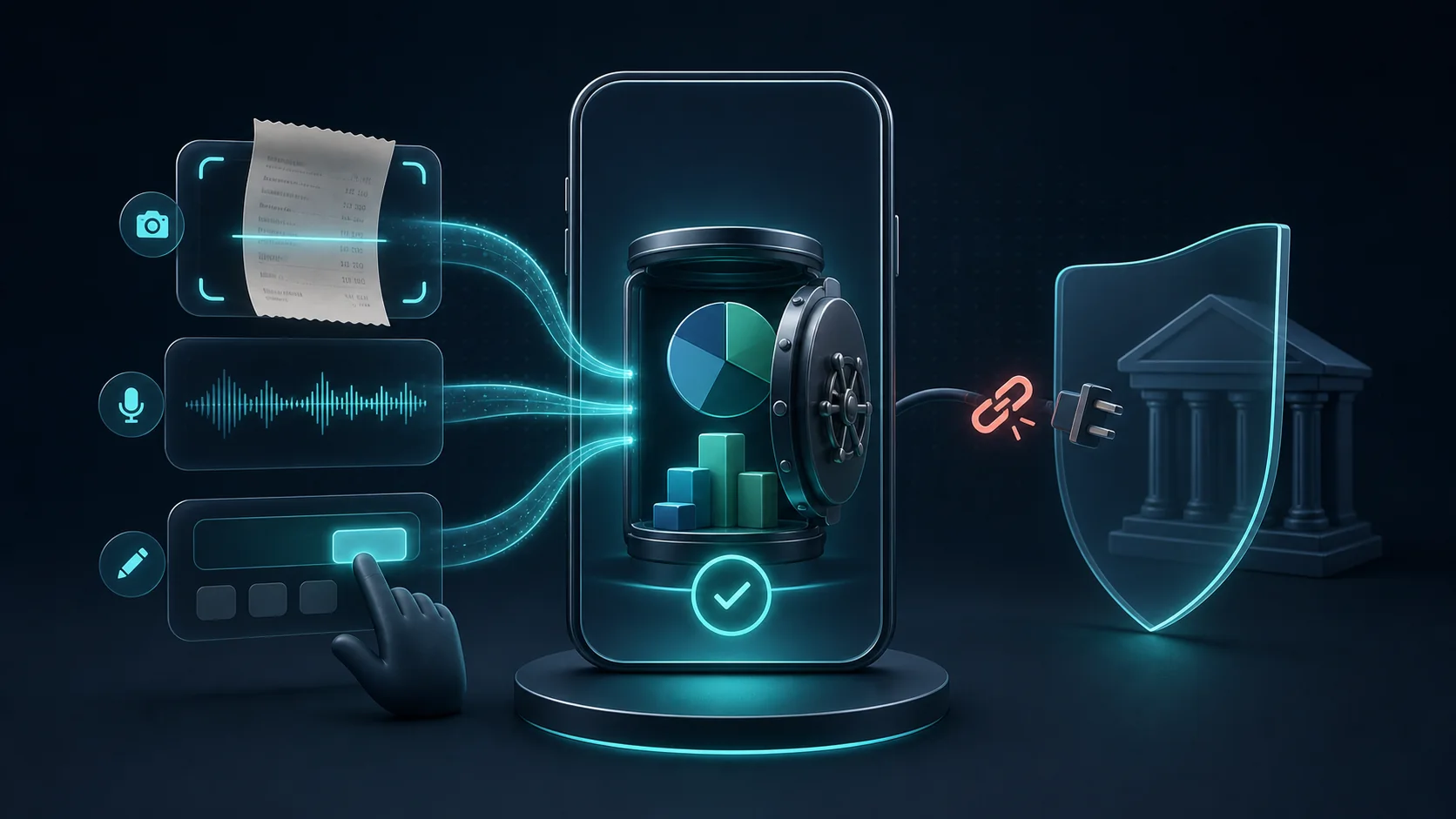
You can track your household spending accurately without ever connecting a bank account. The short version: you record what you spend as you go — by typing, snapping a receipt, speaking, or setting up recurring charges — and once a week you spend about ten minutes comparing your app's totals with your real balances. That closes the gap that usually makes manual tracking fall apart.
This guide explains how that works in practice, how it differs from bank-connected apps, how to handle cash and cards together, and — honestly — what skipping the bank connection does and does not do for your privacy.
Why some families skip the bank connection on purpose
Bank-connected budgeting apps promise to do the work for you: link your account once, and transactions flow in automatically. That convenience is real. But there are practical reasons a household might decide against it.
- You don't want to share banking access. Some people are simply not comfortable granting a third party ongoing read access to their transactions.
- You use cash. Bank feeds do not automatically capture the €20 you handed to your child for a school trip, the farmers-market vegetables, or the tip you left in cash. You can add those expenses manually, but cash-and-card households still need a capture habit.
- You have accounts in several places. Multiple banks, a partner's account, a prepaid card, or money in a currency your app doesn't support cleanly can make automatic syncing patchy.
- Connections break. Bank links time out, need re-authentication, or stop working after a security update — and a feed you can't trust is worse than no feed at all.
None of this means bank-connected apps are bad. It means "connect your bank" is a choice with trade-offs, and for many families the manual or AI-assisted route fits better.
How bank-connected apps actually get your data
It helps to know what you're opting out of. Historically, some data aggregators relied on screen scraping: a consumer supplied online-banking credentials and the service used them to retrieve account information. Newer connections increasingly use dedicated bank interfaces (APIs), where a user authorizes specific data access without giving the budgeting app a bank password.
The legal and technical details continue to change. The U.S. Consumer Financial Protection Bureau finalized its Personal Financial Data Rights Rule in 2024, but its current compliance page states that the rule's compliance dates were stayed by a court on 29 October 2025 while reconsideration continued. That makes broad claims about what every U.S. bank connection must provide premature as of this review.
The takeaway for a household is simple: if you'd rather not grant an app access to your bank-transaction feed, manual and AI-assisted tracking let you skip that specific connection. The app may still process information you enter yourself, which is why its privacy policy still matters.
Five ways to record spending without a bank feed
The fear with manual tracking is that it means typing rows into a spreadsheet every night. It doesn't have to. Modern apps give you several fast ways to capture an expense — pick whichever is quickest in the moment.
- Chat / natural language. Type a plain sentence like "spent 45 on groceries" and the app creates the transaction and suggests a category. This is usually the fastest method for a single purchase.
- Receipt photo. Snap the receipt and let the app read the amount, merchant, and date. Best for grocery runs and anything with a printed total you'd otherwise have to type.
- Voice. Say what you spent while you're walking to the car. Useful when your hands were full a minute ago and you'll forget by the time you sit down.
- Quick manual entry. The classic form — amount, category, note. Reliable, and sometimes genuinely the fastest for a round-number cash expense.
- Recurring-cost tracking. Add rent, subscriptions, and loan schedules once, then confirm each payment when it happens. Predictable costs are easier to remember even when an app does not import them from a bank.
The goal isn't to log everything perfectly. It's to capture enough, quickly enough, that your numbers are trustworthy. Recurring charges plus a fast capture method for everything else covers most of a household's month. If receipts and voice are new to you, our guide to receipt scanning and voice expense tracking walks through both.
The habit that makes it work: a 10-minute weekly reconciliation
Manual tracking fails for one predictable reason — small gaps accumulate until you stop believing the numbers. A short weekly reconciliation prevents that. You're not re-checking every transaction; you're confirming the total is close to reality and patching what's missing.
Here's a checklist you can copy. It's built to take about ten minutes.
- Open your budgeting app and your banking or wallet app side by side. (You're just looking at balances — no linking required.)
- For each account or wallet, compare the balance your app shows with the real balance.
- If they differ, scan the last seven days for anything missing. The usual culprits: small card taps, cash spending, and automatic renewals.
- Add what's missing, using whatever's fastest — one sentence, a receipt photo, or a quick voice note.
- Check for duplicates, especially if more than one family member logs shared expenses.
- Confirm the recurring charges you expected (rent, subscriptions, loan payments) actually happened, and note the next due date.
- Flag any amount you still can't explain, and leave yourself a one-line reminder to check the receipt or statement later.
- Glance at your top two or three categories for the week — not to judge, just to notice what's moving.
Do this on the same day each week and the gaps stay small. Skip it for a month and you'll be doing archaeology instead of budgeting.
Worked example: three mismatches in one Sunday review
This example is illustrative, but the corrections are typical. Ana and Mihai track one payment card, a shared cash wallet, and household subscriptions. Their review finds three problems:
- Missing cash purchase: the app says the cash wallet should contain €27.50, but they count €19.50. Ana remembers an €8 school-snack purchase and adds it to the children's category. The cash balance now matches.
- Duplicate shared expense: both partners recorded the same €46.20 grocery receipt. They compare the merchant, date, and amount, then delete one copy instead of changing the grocery budget to fit a false total.
- Forgotten renewal: the card's recent activity includes a €9.99 cloud-storage renewal that is missing from the app. They add it, mark it as recurring, and note the next expected date.
The review does not prove every entry is perfect. It restores agreement between the records they can verify, documents one recurring charge, and leaves any unexplained difference flagged for the next check rather than hidden.
Keeping cash and cards in the same budget
This is where deliberate manual tracking can fill a bank feed's blind spot. A feed imports card and bank transactions, but cash purchases still need to be entered by someone. If cash is a real part of how your family spends, treat it as a first-class account rather than an afterthought.
A simple approach:
- Treat cash as its own "wallet" or account with a starting amount.
- When you withdraw cash, record it as a transfer from your card/account into the cash wallet — not as spending.
- Log cash purchases against the cash wallet as they happen (a receipt photo or one sentence is plenty).
- At your weekly reconciliation, count the physical cash you have left and compare it to the app's cash balance. A difference just means an unlogged cash purchase — add it and move on.
Counting the cash in your wallet once a week sounds old-fashioned. It's also the single most reliable way to keep cash spending honest.
Four ways to track, compared
There's no universally "best" method — it depends on how much you value convenience, privacy, and cash accuracy. Here's an honest comparison.
| Approach | Setup | Day-to-day convenience | Cash support | Privacy exposure | Maintenance | Common errors |
|---|---|---|---|---|---|---|
| Bank-connected app | Link account(s); may need re-auth | High — card transactions arrive automatically | Needs manual cash entries | Higher — a third party reads your transactions | Low, until a connection breaks | Miscategorized feed items; missing cash |
| Spreadsheet | Build or download a template | Low — manual typing, no capture shortcuts | Strong — you enter whatever you want | Low — you control the file | High — easy to abandon | Formula slips; forgotten entries |
| Manual budgeting app | Set categories and recurring items | Medium — quick forms, no auto-import | Strong — cash is a normal entry | Lower — no bank access granted | Medium — needs a weekly habit | Forgotten transactions between sessions |
| AI-assisted app, no bank link | Set categories and recurring items | Higher — chat, receipt, and voice speed up capture | Strong — cash is a normal entry | Lower for banking; see note on other data below | Medium — weekly reconciliation | Missed logs; duplicate family entries |
The pattern: bank-connected apps reduce card-entry work but still need manual cash handling; spreadsheets maximize control but demand more upkeep; manual and AI-assisted apps sit in between, with AI mainly reducing the friction of capture. If a spreadsheet is where you started and stalled, moving to a simpler system is often what revives the habit.
"No bank connection" is a privacy choice, not a privacy guarantee
This is the part most articles skip, so be clear-eyed about it. Not linking your bank removes one specific exposure — a third party reading your transaction history. It does not automatically mean an app collects nothing about you.
Even without bank access, an app may store the transactions you type, process receipt images, collect device or diagnostic information, or use website analytics. The exact list depends on the product, so the relevant privacy policy matters more than a broad "no bank connection" label.
European data-protection law gives you a useful yardstick. The GDPR's data minimisation principle says personal data must be "adequate, relevant and limited to what is necessary in relation to the purposes for which they are processed" (Regulation (EU) 2016/679, Article 5(1)(c)). A budgeting app that respects this collects little beyond what it needs to do its job.
So the honest position is: skipping the bank connection is a meaningful privacy decision, but you still have to check what an app does with everything else.
Privacy questions worth asking before you choose an app
- Where is my data stored — on my device, in the cloud, or both?
- What does the app collect beyond what I type — device IDs, analytics, location?
- Are receipt photos processed on my device or uploaded to a server?
- Is my data ever used to train models, or shared with advertisers or other third parties?
- Can I export my data and delete my account? The GDPR's right to data portability (Article 20) applies when its conditions are met, including automated processing based on consent or a contract. In those cases, the person has a right to receive qualifying data in a "structured, commonly used and machine-readable format." Ask the provider what export is available and what it includes.
- Is there a clear privacy policy with a named company responsible for the data?
Common mistakes to avoid
- Trying to log everything perfectly from day one. Start with recurring costs and your biggest categories. Precision on small stuff can come later, if ever.
- Tracking cards but forgetting cash. If cash is invisible, your budget will always feel "off."
- Never reconciling. Without the weekly check, small gaps compound until you distrust — and abandon — the whole system.
- Treating the app as the source of truth. Your bank and wallet are the truth; the app is your model of it. When they disagree, believe reality and fix the app.
- Double-logging shared expenses. Two partners each recording the same grocery run inflates the budget. Agree on who logs what.
- Assuming "no bank link" means total privacy. It doesn't — read the privacy policy anyway.
How Lumy fits in
Lumy is a family budgeting app built around this manual, no-bank-login approach. You can record expenses manually or use chat, receipt, and voice tools, while subscriptions and loans can be organized as predictable costs. Lumy is offline-first: financial data is stored locally by default, with optional cloud sync, and the app does not ask for banking credentials.
AI-created transactions appear as action cards that can be previewed and edited, so categories and amounts remain visible rather than changing silently. Availability and limits depend on the current plan and app-store offering; check the pricing page for current details and the privacy page for how local data, cloud sync, AI inputs, and receipt photos are handled.
Lumy lets families record expenses through chat, receipts, or voice without connecting a bank account. You can try the workflow and decide whether it fits your household.
What to do today
- Pick your tool — a spreadsheet, a manual app, or an AI-assisted app. Any of them beats guessing.
- Enter your recurring costs first: rent, subscriptions, loan payments. That's the backbone of the month.
- Add a cash wallet with the amount currently in your wallet.
- For the next seven days, log expenses as they happen using the fastest method available to you.
- Book a recurring 10-minute weekly reconciliation using the checklist above.
Do that for two weeks and you'll know whether tracking without a bank connection works for your household — with none of your banking credentials shared to find out.
Frequently asked questions
Is a budget app without a bank connection accurate?
It can be, if you pair fast capture (chat, receipt, voice) with a weekly reconciliation against your real balances. Accuracy comes from the habit, not from automation.
Isn't manual entry a lot of work?
Less than it used to be. A subscription or loan schedule helps you remember predictable costs, while a single sentence, photo, or voice note can speed up the rest. A short weekly reconciliation remains the scheduled check that catches gaps.
How do I handle cash?
Treat cash as its own wallet, record withdrawals as transfers into it, and count your physical cash weekly to catch anything you forgot to log.
Does "no bank connection" mean the app is completely private?
No. It removes one exposure — a third party reading your transactions — but apps can still collect other data. Read the privacy policy and ask where your data is stored, what's collected, and whether you can export and delete it.
Can two people share one budget without a bank link?
Yes. Apps with family sharing let members log into a shared budget and add expenses manually; the main thing to agree on is who records shared purchases, to avoid duplicates.
Sources and methodology
This article was written and reviewed by the Lumy editorial team. It draws on official consumer-finance and data-protection sources rather than competitor marketing. Product capabilities described for Lumy reflect features stated on Lumy's own website at the time of review; features and tiers can change, so check the app for current details. The household situations described are illustrative examples, not real customers.
This article is provided for general educational purposes about tracking spending and choosing an app. It is not financial, legal, tax, or investment advice, and it does not replace a bank, accountant, or financial adviser.
- Consumer Financial Protection Bureau — Personal Financial Data Rights compliance resources (current rule status and the October 2025 stay of compliance dates).
- Regulation (EU) 2016/679 (GDPR) — Article 5(1)(c) data minimisation and Article 20 right to data portability.
- Lumy features, current plan comparison, and privacy policy (product capabilities and data handling reviewed for this article).
Published: 18 July 2026. Reviewed: 18 July 2026.